.png)
How to change access type on my personal Outlook account?
Due to Microsoft’s scopes policy, Outlook users are unable to change their access type through the CTD app once they’ve initially chosen it. The process of changing the access type requires the email account to be deleted from CTD and permissions to be removed from the Microsoft dashboard.
Follow the next 5 steps in order to change the access type:
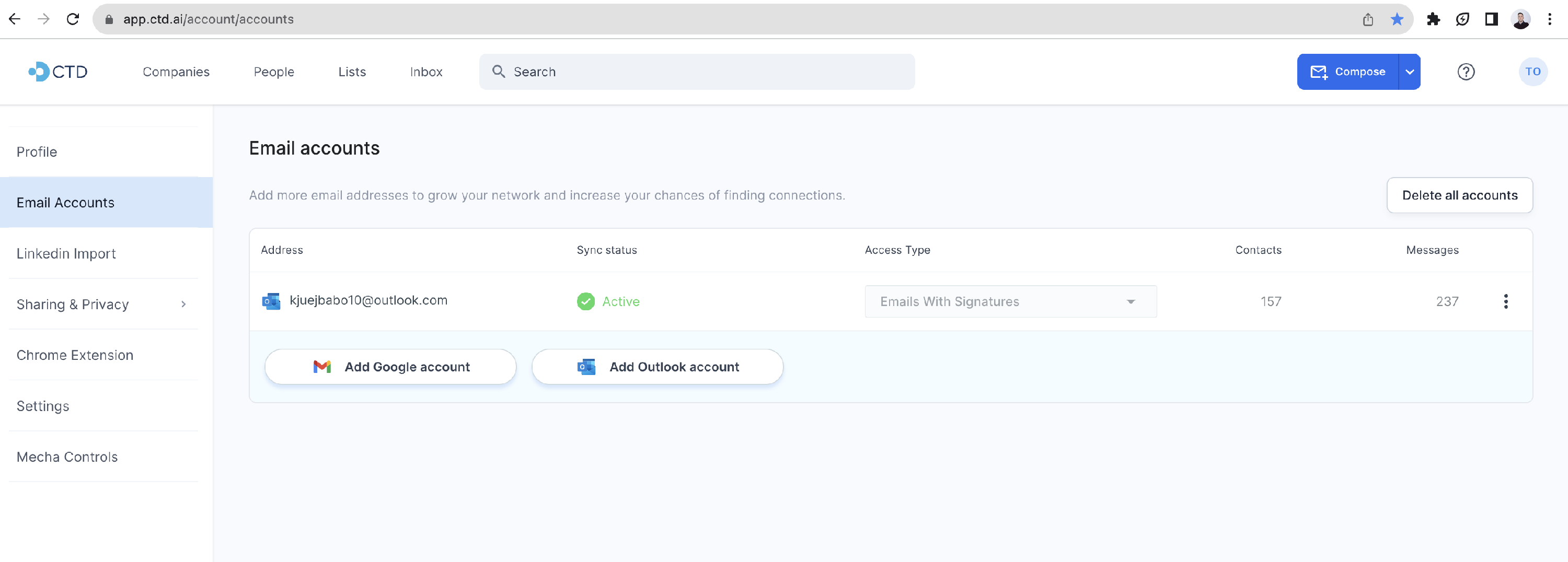
- Go to Accounts page.
-
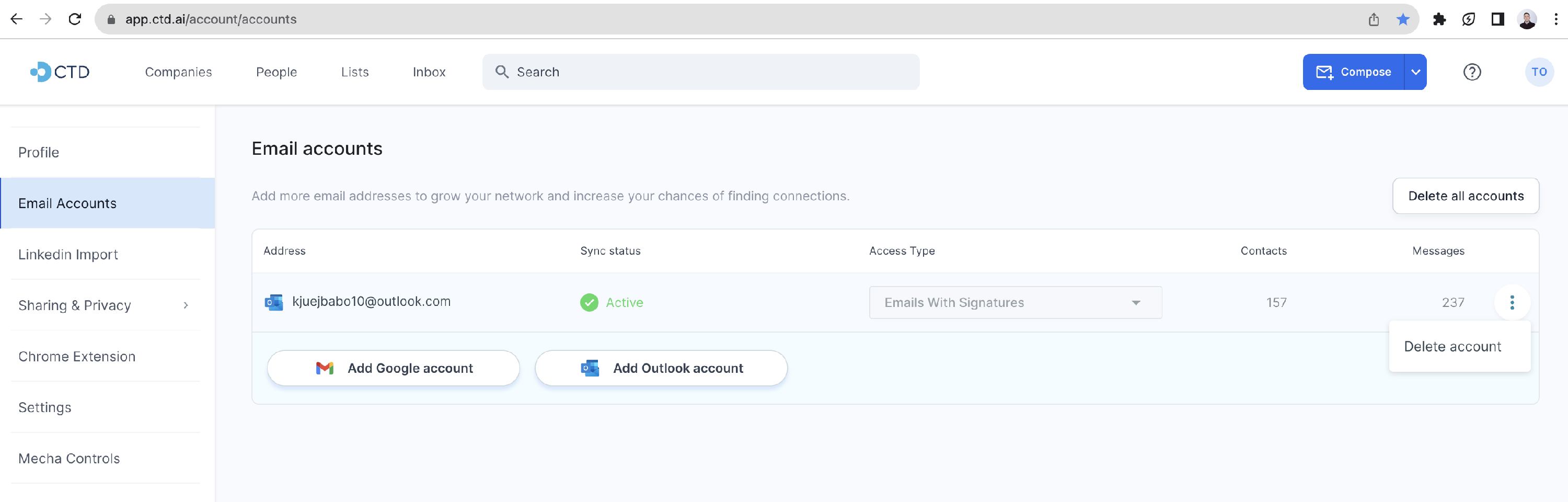
Click on Delete account next to your Outlook account.
-
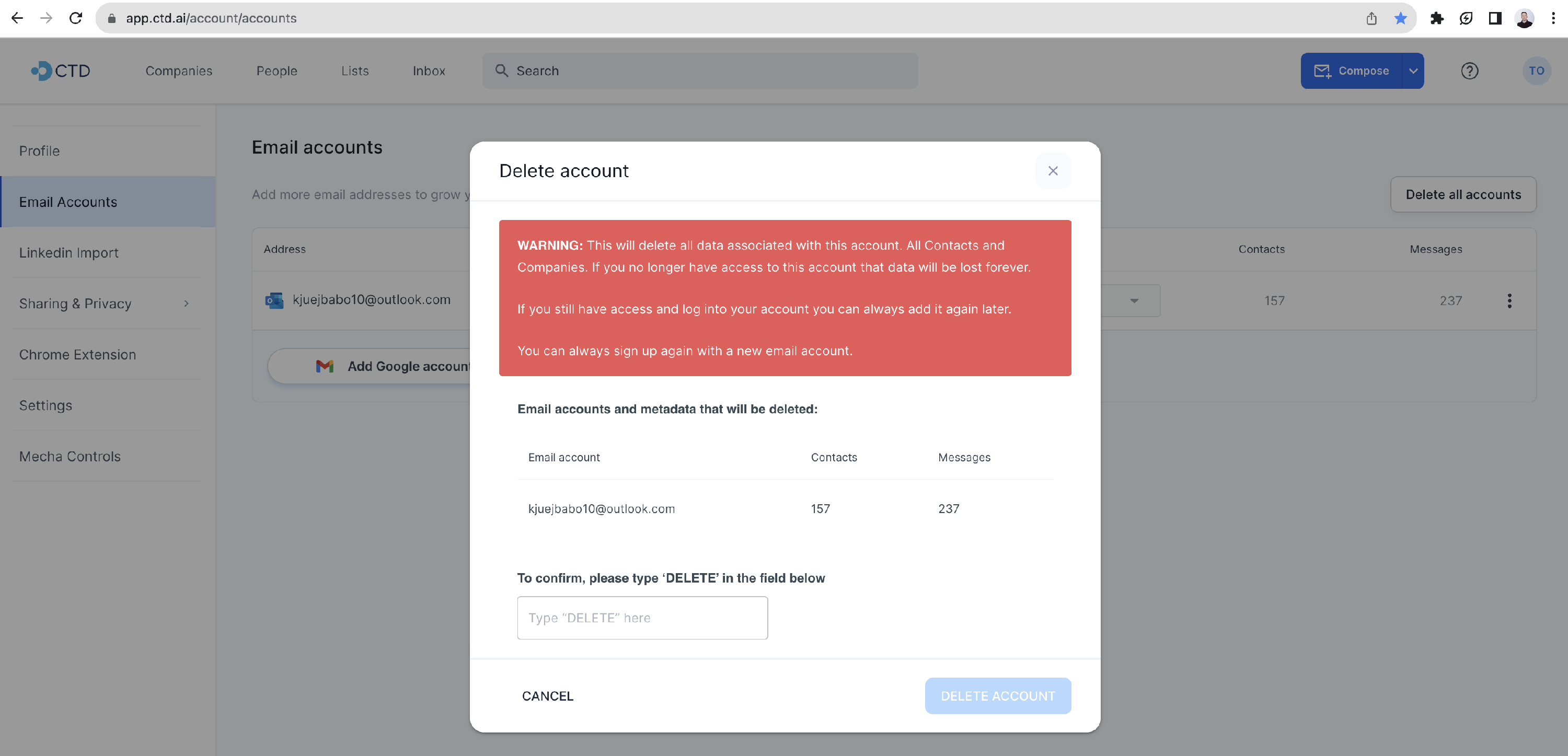
Type in DELETE and click the Delete account button.
-
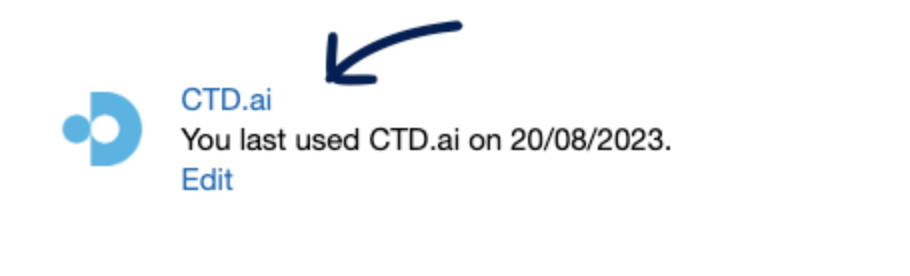
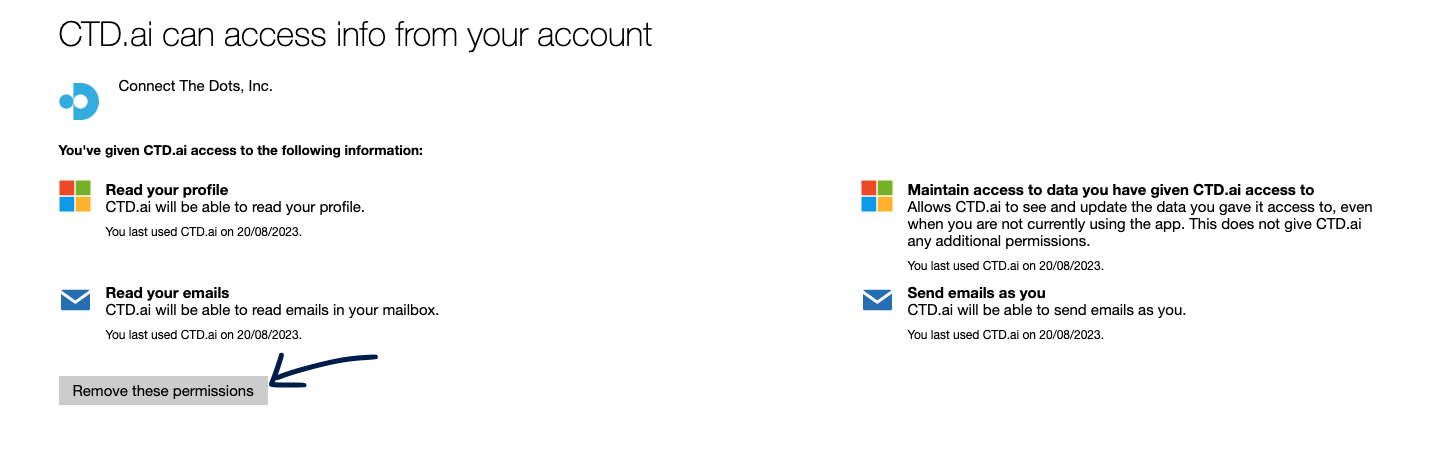
Revoke access on the Microsoft dashboard by clicking Edit on the CTD.ai app and Remove these permissions.
- Change access type on your account:
- If you had only 1 source account you should sign up again and select the new access type.
-
If you had multiple source accounts then add the source account on the Accounts page by clicking on Add Outlook account and select the new access type.